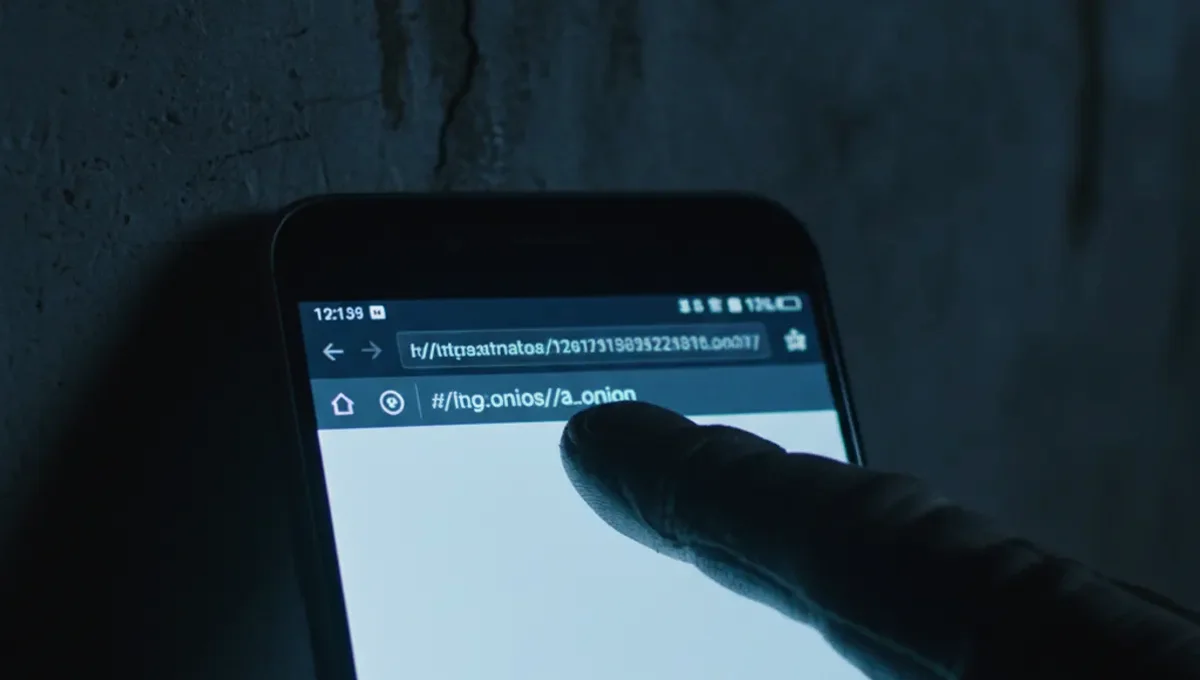
What Dark Website Hacking Actually Means
Dark website hacking encompasses several distinct attack types. The most common is phishing: an attacker registers a lookalike onion address or hosts a clone of a legitimate marketplace, forum or service, then waits for users to mistype a URL or click a malicious link. When a user enters credentials or private keys, the attacker captures them immediately. Another vector is malware distribution through fake applications or browser extensions, where downloading what appears to be a Tor Browser modification or darknet tool actually installs keyloggers or clipboard hijackers. A third category involves compromising the infrastructure of a legitimate onion service through weak server security, outdated software, or social engineering of administrators. Each method targets different layers: the user's attention, their device, or the service operator's systems.
How Phishing Clones Exploit User Behavior
Phishing on the darknet succeeds because onion addresses are long, random hexadecimal strings that users cannot memorize. A legitimate marketplace address might be something like thehiddenwiki7x4y.onion, and an attacker registers thehiddenwiki7x4z.onion or thehiddenwiki-official.onion, changing only one or two characters. Users who bookmark the wrong address or follow a link from an untrusted source land on the clone. The fake site is often pixel-perfect, copying the layout, logo and user interface of the real service. When users log in, their credentials go directly to the attacker's server. This is why verifying onion addresses through PGP-signed announcements, official mirrors listed on the Useful Resources page of this site, and the Tor Project's onion address verification tools is critical. Never rely on search results or third-party link directories alone.
Malware and Browser Exploitation on Dark Websites
Attackers distribute malware through fake dark website applications and browser modifications. A user searching for a Tor Browser download might find a trojanized version on a compromised forum or fake mirror. Similarly, darknet tools claiming to enhance privacy or automate market tasks often contain spyware. Once installed, malware can log keystrokes, capture clipboard contents (where private keys or passwords are often pasted), take screenshots, or monitor network traffic. Some malware specifically targets cryptocurrency wallets by replacing copied addresses with the attacker's address, so when a user pastes what they think is a recipient's wallet, they send funds to the wrong place. The Tor Browser itself is regularly updated to patch vulnerabilities; using an outdated version leaves you exposed to known exploits. Always download Tor Browser only from the official Tor Project website, never from mirrors or third-party sources.
Why Dark Website Chrome and Browser Extensions Are High-Risk
Some users attempt to access dark websites using Chrome or other standard browsers, sometimes with extensions claiming to provide anonymity or darknet access. This is fundamentally unsafe. Chrome and Firefox are not designed for anonymity; they leak your real IP address, browser fingerprint, and browsing history despite any extension. Extensions themselves are a vector: a malicious extension can intercept all your traffic, steal credentials, or modify pages before you see them. The only browser designed specifically for Tor is Tor Browser, which is maintained by the Tor Project and includes protections against fingerprinting, timing attacks, and exit node eavesdropping. If you need to access dark websites, use Tor Browser on a dedicated device or virtual machine, never a shared computer. Avoid any extension or modification that claims to speed up Tor or add features; the official Tor Browser is already optimized.
The Reality of Dark Website Hacking: What Actually Happens
According to Tor Project documentation on onion service security, the majority of successful attacks against darknet users involve social engineering and phishing rather than cryptographic breaks. This matters because it means your security depends heavily on your own vigilance, not just on Tor's technical strength. Court records and law-enforcement press releases from darknet marketplace seizures reveal that even large, well-resourced services fall to hacking: administrators' credentials are compromised, server backups are stolen, or the service is infiltrated by undercover agents. Security-vendor incident reports on darknet malware show that clipboard-hijacking malware and fake wallet applications are among the most prevalent threats, causing significant financial losses to users who believe they are sending funds securely. Academic research on onion service attacks documents that DNS leaks, timing correlation attacks, and exit node monitoring remain theoretical risks, but practical attacks almost always exploit the human element first. For the average user, this means: verify addresses carefully, use strong unique passwords with a password manager, enable two-factor authentication where available, and assume that any tool or service you find on the darknet without cryptographic verification could be compromised.
Practical Defense: Verification and Operational Security
Protecting yourself against dark website hacking requires a multi-layered approach. Start with address verification: before logging into any darknet service, check the Useful Resources page of this site or look for PGP-signed announcements from the service operator on trusted forums or their official mirrors. Never trust a link from a search result or a third-party directory without independent confirmation. Use a password manager to generate and store unique, long passwords for each service; this prevents credential reuse if one site is compromised. Enable two-factor authentication (TOTP or U2F) if the service supports it. Keep your operating system, Tor Browser, and all software updated. Consider using a dedicated virtual machine or a live operating system like Tails for darknet activity, isolating it from your main computer. Use a VPN before connecting to Tor only if you understand the tradeoffs and trust your VPN provider; many users find this unnecessary and potentially counterproductive. Most importantly, assume that any service could be hacked, exit-scammed, or seized at any time. Never store large amounts of cryptocurrency or sensitive data on a darknet marketplace or forum.
Recognizing and Reporting Compromised Dark Websites
If you suspect a dark website has been hacked or is a phishing clone, do not log in or enter any information. Look for signs: the site layout differs from what you remember, the onion address does not match official announcements, or the site asks for information it normally would not. Check the Useful Resources page of this site or contact the service operator through verified channels (PGP-signed email, official mirrors, or trusted community forums) to report the issue. If you have already entered credentials on a suspicious site, change your password immediately on the legitimate service using a different device and a fresh Tor connection. If you sent cryptocurrency to the wrong address, there is no recovery; report it to the service operator and any relevant law-enforcement agency if you believe it was fraud. Document the onion address, screenshots, and the time of the incident. Many darknet communities maintain lists of known phishing clones and compromised mirrors; contributing to these lists helps protect other users. Never click links in unsolicited messages or emails, even if they appear to come from a service you use.
Frequently Asked
Can Tor Browser itself be hacked
Tor Browser's cryptography is not practically breakable, but the browser can have software vulnerabilities that allow attackers to deanonymize users or inject malware. This is why keeping Tor Browser updated is essential. The Tor Project releases security patches regularly; using an outdated version exposes you to known exploits.
How do I know if a dark website is real or a phishing clone
Verify the onion address through PGP-signed announcements from the service operator, official mirrors listed on trusted resources, or the Tor Project's onion address verification tools. Never rely on search results or third-party link directories. Bookmark the correct address and always use the bookmark, never a link from another site.
What should I do if I entered my password on a fake dark website
Change your password immediately on the legitimate service using a different device and a fresh Tor connection. If you also use that password elsewhere, change it on all accounts. If you sent cryptocurrency or revealed private keys, there is no recovery; report the incident to the service operator and consider reporting it to law enforcement.
Is it safe to use a VPN with Tor to access dark websites
Using a VPN before Tor is a tradeoff: it hides your ISP-visible Tor connection from your internet provider, but it gives the VPN provider visibility into your Tor usage and potentially your IP address. Most security experts recommend Tor alone if your threat model does not include ISP monitoring. If you do use a VPN, choose one you trust and understand the risks.
Can dark website hackers steal my cryptocurrency if I use a hardware wallet
A hardware wallet protects your private keys from being stolen by malware on your computer, but it does not protect you from sending funds to the wrong address. If malware hijacks your clipboard and replaces a recipient's address with the attacker's address, you will send funds to the attacker even with a hardware wallet. Verify addresses carefully before confirming any transaction.